https://1drv.ms/p/c/2f87f893b40ab140/Eb3eqjqw_0hKopqawDMkG0YBIfw40Mwkea_0ne5Ua8XMYg?e=EJjE9B
Class 10 Final Project
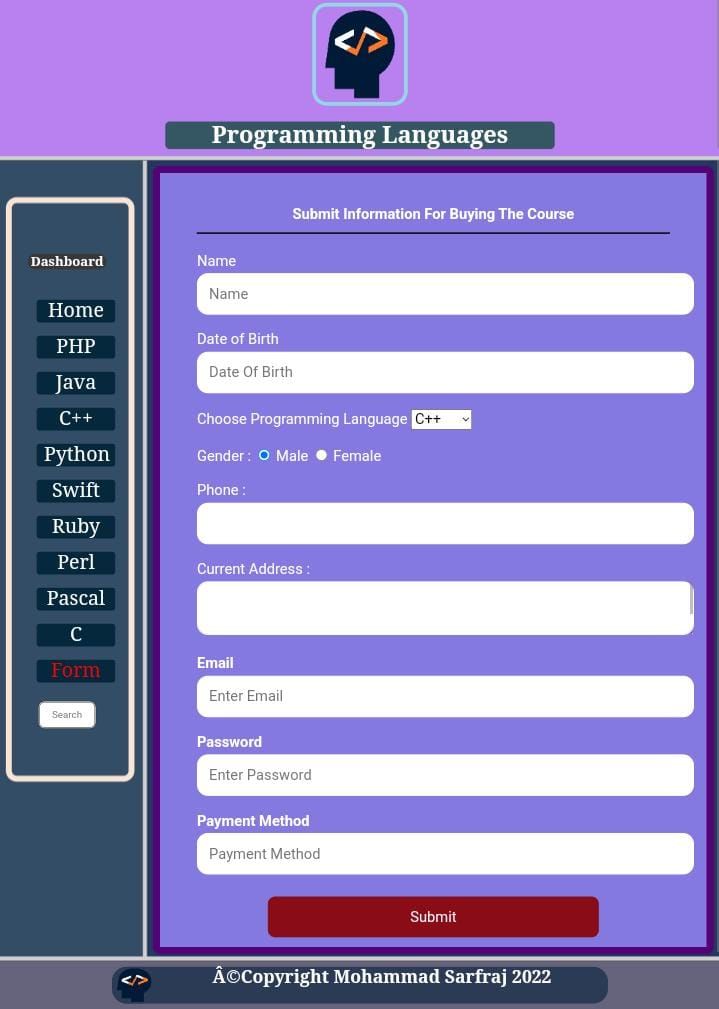
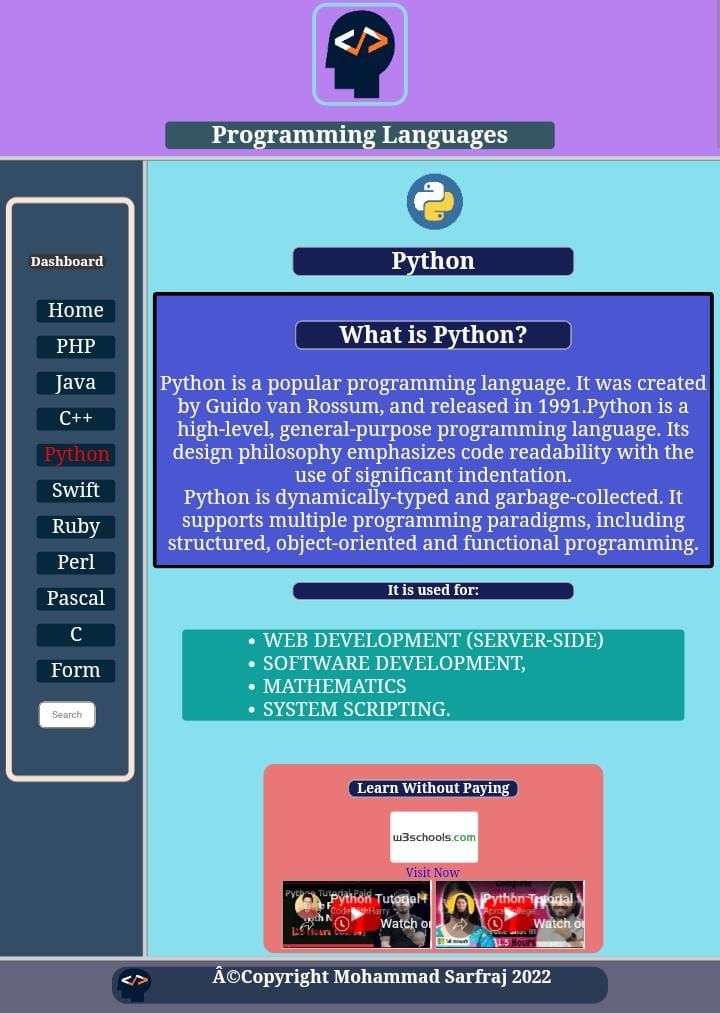
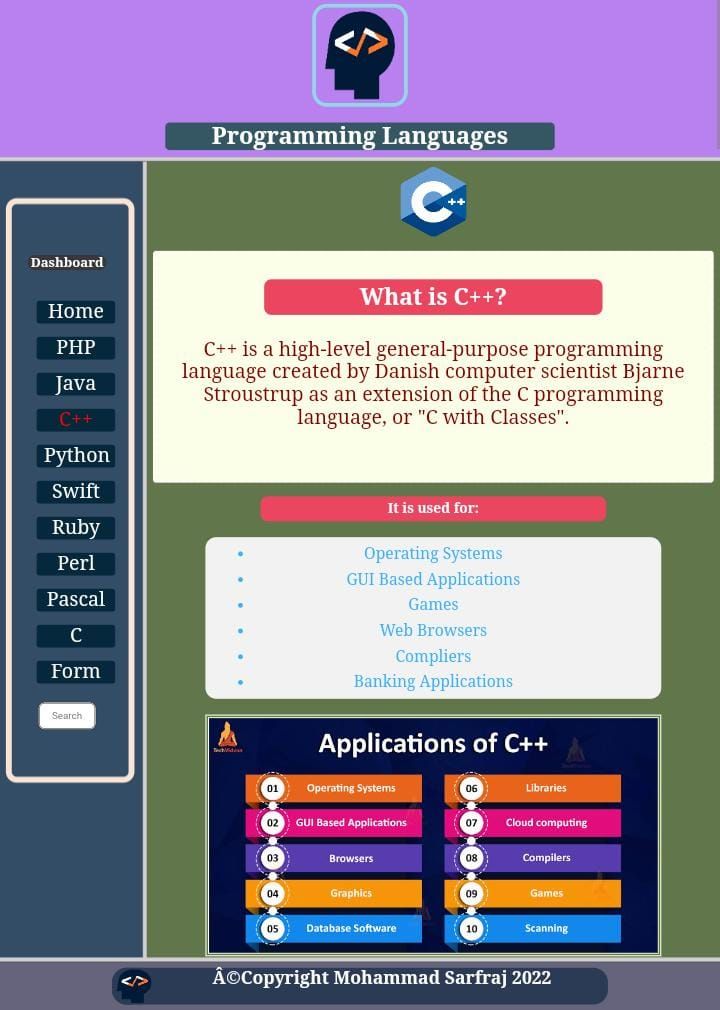





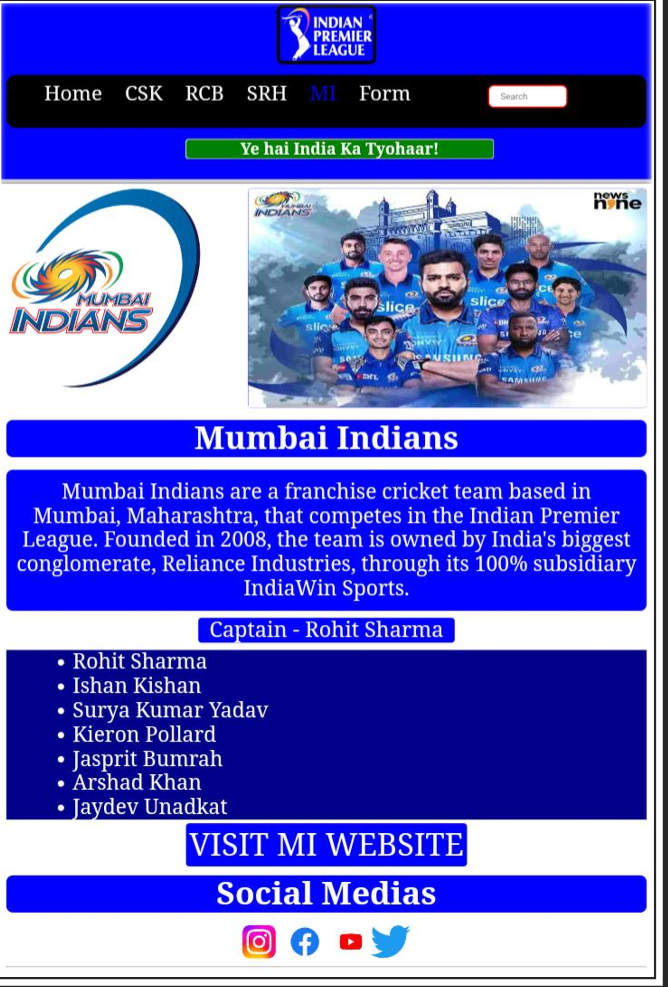

UPDATE 8.2 of Building a Dynamic Cricket Scoreboard with Python Tkinter
The two versions, 8.1 and 8.2, of the cricket scoreboard project have some key differences. Here’s a comparative overview:
Version 8.1
- Score Entry and Display: Score entry is more direct and handled by global variables, which are retrieved and updated based on user input.
- Player Name Handling: The conversion of player shirt numbers to names is done using simple conditional checks within the
scoreboard()function. - UI and Score Display: The window and labels are created within the
scoreboard()function. This setup means the UI is dynamically generated every time the function is called. - Player Swap Logic: The swapping of striker and non-striker is based on conditions within the
scoreboard()function, directly checking the last digit of overs or impact of the ball. - Data Persistence: The code writes new data to a CSV file after every update.
Version 8.2
- Data Management: It uses a slightly more modular approach with better-organized data management, leading to cleaner code and less reliance on global variables.
- Dynamic UI Updates: The second version incorporates dynamic updates within the existing UI, avoiding the need to recreate the entire window, which makes the program more efficient.
- Improved Player Handling: The player swap logic is refined and more robust, offering better control over the swapping mechanism.
- Enhanced Flexibility: This version seems to better handle various match scenarios by organizing the logic more effectively and offering a more streamlined UI experience.
Summary
- Version 8.1 focuses on simplicity with direct score entry and display, whereas Version 8.2 introduces a more polished structure with improved UI updates and better data management.
- Version 8.2 enhances user experience by offering a more responsive interface and more organized code, making it preferable for more complex and dynamic match scenarios.
from tkinter import *
window1=None
window2=None
window=None
label1=None
label2=None
label3=None
label4=None
label5=None
label6=None
label8=None
label9=None
label10=None
label11=None
label13=None
label14=None
def scoreboard():


    global scoreshow
    global strikervalue
    striker=strikervalue.get()

    global armvalue
    arm=armvalue.get()

    global strikerscorevalue
    strikerscore=strikerscorevalue.get()

    global nonstrikervalue
    nonstriker=nonstrikervalue.get()

    global nonstrikerscorevalue
    nonstrikerscore=nonstrikerscorevalue.get()

    global team1value
    team1=team1value.get()


    global overvalue
    over=overvalue.get()

    global bowlervalue
    bowler=bowlervalue.get()

    global bowlerstatsvalue
    bowlerstats=bowlerstatsvalue.get()

    global overstatsvalue
    overstats=overstatsvalue.get()

    global notevalue
    note=notevalue.get()

    global impactvalue
    impact=impactvalue.get()

    global team1scoreteam2value
    team1scoreteam2=team1scoreteam2value.get()
    #scoreshow+=impact


    global team2value
    team2=team2value.get()


    global label1,label2,label3,label4,label5,label6,label8,label9,label10,label11,label13,label14
    listinfo=[striker,strikerscore,nonstriker,nonstrikerscore,team1,
              team1scoreteam2
              ,over,bowler,bowlerstats,
              overstats,note,impact,team2,arm]

    if striker=="45":
        striker="ROHIT"
    elif striker=="18":
        striker="VIRAT"
    if nonstriker=="45":
        nonstriker="ROHIT"
    elif nonstriker=="18":
        nonstriker="VIRAT"
    if bowler=="10":
        bowler="SHAHEEN"
    elif bowler=="71":
        bowler="NASEEM"

    n=read()
    if n[13]!=arm:

        import csv
        fh=open("scoreinfo.csv","a")
        fo=csv.writer(fh)
        fo.writerow(listinfo)
        fh.close()

        global window1
        global window2
        new=read()
        #print(new)
        #print(new[11])
        if new[11]=="1" or new[11]=="3" or new[11]=="0" and new[6][-1]=="6":
            k=nonstrikervalue
            p=nonstrikerscorevalue
            nonstrikervalue=strikervalue
            nonstrikerscorevalue=strikerscorevalue
            strikervalue=k
            strikerscorevalue=p
        if window1 is not None:
            label1.config(text=striker)
            label2.config(text=strikerscore)
            label3.config(text=nonstriker)
            label4.config(text=nonstrikerscore)
            label5.config(text=team1)
            label6.config(text=team1scoreteam2)
            label8.config(text=over)
            label9.config(text="VS "+team2)

            label10.config(text=bowler)
            label11.config(text=bowlerstats)
            label13.config(text=overstats)


            label14.config(text=note)


        else:


            window1=Tk()
            window1.geometry("1300x300")
            window1.config(relief=RIDGE,background="#882626",bd=20,padx=180,pady=50)
            label1=Label(window1,width=10,text=striker,font=("Arial",22,"bold"),fg="blue",relief=RIDGE,bd=9,)
            label1.place(x=0,y=80)
            label2=Label(window1,width=5,text=strikerscore,font=("Arial",22),fg="blue",relief=RIDGE,bd=9,)
            label2.place(x=200,y=80)

            label3=Label(window1,width=10,text=nonstriker,font=("Arial",22,"bold"),fg="blue",relief=RIDGE,bd=9)
            label3.place(x=0,y=130)
            label4=Label(window1,width=5,text=nonstrikerscore,font=("Arial",22),fg="blue",relief=RIDGE,bd=9,)
            label4.place(x=200,y=130)

            label5=Label(window1,width=5,text=team1,font=("Arial",22,"bold"),fg="blue",relief=RIDGE,bd=9)
            label5.place(x=335,y=80)
            label6=Label(window1,width=7,text=team1scoreteam2,font=("Arial",22,"bold"),fg="blue",relief=RIDGE,bd=9,)
            label6.place(x=445,y=80)

            label7=Label(window1,width=5,text="OVER",font=("Arial",22,"bold"),fg="blue",relief=RIDGE,bd=9)
            label7.place(x=335,y=130)
            label8=Label(window1,width=2,text=over,font=("Arial",22,"bold"),fg="blue",relief=RIDGE,bd=9,)
            label8.place(x=445,y=130)
            label9=Label(window1,width=8,height=2,text="VS "+team2,font=("Arial",12),fg="blue",relief=RIDGE,bd=9,)
            label9.place(x=500,y=130)

            label10=Label(window1,width=10,text=bowler,font=("Arial",22,"bold"),fg="blue",relief=RIDGE,bd=9)


            label11=Label(window1,width=10,text=bowlerstats,font=("Arial",22,"bold"),fg="blue",relief=RIDGE,bd=9,)

            label12=Label(window1,width=10,text="THIS OVER",font=("Arial",22,"bold"),fg="blue",relief=RIDGE,bd=9)

            label13=Label(window1,width=10,text=overstats,font=("Arial",22,"bold"),fg="blue",relief=RIDGE,bd=9,)


            label10.place(x=620,y=80)
            label11.place(x=821,y=80)
            label12.place(x=620,y=130)
            label13.place(x=821,y=130)

            label14=Label(window1,width=35,height=1,text=note,font=("Arial"),fg="blue",relief=RIDGE,bd=9)
            label14.place(x=0,y=35)
    else:
        print("UPDATE PRIMARY KEY......")


def read():
    import csv
    fh=open("scoreinfo.csv","r")
    fo=csv.reader(fh)
    fo=list(fo)
    new=fo[-2]

    return new

    fh.close()


new=read()
strikervalue=new[0]
strikerscorevalue=new[1]
nonstrikervalue=new[2]
nonstrikerscorevalue=new[3]
team1value=new[4]
team1scoreteam2value=new[5]
overvalue=new[6]
bowlervalue=new[7]
bowlerstatsvalue=new[8]
overstatsvalue=new[9]
notevalue=new[10]
impactvalue=new[11]
team2value=new[12]
if new[11]=="1" or new[11]=="3" or new[11]=="0" and new[6][-1]=="6":
        k=nonstrikervalue
        p=nonstrikerscorevalue
        nonstrikervalue=strikervalue
        nonstrikerscorevalue=strikerscorevalue
        strikervalue=k
        strikerscorevalue=p
window=Tk()
window.geometry("1600x500")
window.title("scoreboard info entry")
window.config(background="skyblue",padx=30,pady=50,border=25)
labelstriker=Label(window,width=22,text="STRIKER SHIRT NO.:",font=("Arial",20),bg="black",fg="white",relief=RIDGE,bd=10)
labelstriker.place(x=0,y=10)
strikervalue=Entry(window,font=("Arial",20),fg="white",bg="red",bd=10,relief=RIDGE)
strikervalue.insert(0,new[0])
strikervalue.place(x=370,y=10)

labelstrikerscore=Label(window,width=22,text="STRIKER SCORE:",font=("Arial",20),fg="white",bg="black",relief=RIDGE,bd=10)
labelstrikerscore.place(x=0,y=80)
strikerscorevalue=Entry(window,font=("Arial",20),fg="white",bg="red",bd=10,relief=RIDGE)
strikerscorevalue.insert(0,new[1])
strikerscorevalue.place(x=370,y=80)

labelnonstriker=Label(window,width=22,text="NON-STRIKER SHIRT NO.:",font=("Arial",20),fg="white",bg="black",relief=RIDGE,bd=10)
labelnonstriker.place(x=0,y=160)
nonstrikervalue=Entry(window,font=("Arial",20),fg="white",bg="red",bd=10,relief=RIDGE)
nonstrikervalue.insert(0,new[2])
nonstrikervalue.place(x=370,y=160)

labelnonstrikerscore=Label(window,width=22,text="NON-STRIKER SCORE:",font=("Arial",20),fg="white",bg="black",relief=RIDGE,bd=10)
labelnonstrikerscore.place(x=0,y=240)
nonstrikerscorevalue=Entry(window,font=("Arial",20),fg="white",bg="red",bd=10,relief=RIDGE)
nonstrikerscorevalue.insert(0,new[3])
nonstrikerscorevalue.place(x=370,y=240)

labelteam1=Label(window,width=22,text="BATTING TEAM NAME:",font=("Arial",20),fg="white",bg="black",relief=RIDGE,bd=10)
labelteam1.place(x=0,y=320)
team1value=Entry(window,font=("Arial",20),fg="white",bg="red",bd=10,relief=RIDGE)
team1value.insert(0,new[4])
team1value.place(x=370,y=320)

labelteam2=Label(window,width=22,text="BOWLING TEAM NAME:",font=("Arial",20),fg="white",bg="black",relief=RIDGE,bd=10)
labelteam2.place(x=0,y=400)
team2value=Entry(window,font=("Arial",20),fg="white",bg="red",bd=10,relief=RIDGE)
team2value.insert(0,new[12])
team2value.place(x=370,y=400)

labelimpact=Label(window,width=22,text="IMPACT OF BALL BOLWED:",font=("Arial",20),fg="white",bg="black",relief=RIDGE,bd=10)
labelimpact.place(x=0,y=480)
impactvalue=Entry(window,font=("Arial",20),fg="white",bg="red",bd=10,relief=RIDGE)
impactvalue.insert(0,new[11])
impactvalue.place(x=370,y=480)

labelteam1score=Label(window,width=23,text="BATTING TEAM SCORE:",font=("Arial",20),fg="white",bg="black",relief=RIDGE,bd=10)
labelteam1score.place(x=720,y=10)
team1scoreteam2value=Entry(window,font=("Arial",20),fg="white",bg="red",bd=10,relief=RIDGE)
team1scoreteam2value.insert(0,new[5])
team1scoreteam2value.place(x=1110,y=10)

labelover=Label(window,width=23,text="OVER     :",font=("Arial",20),fg="white",bg="black",relief=RIDGE,bd=10)
labelover.place(x=720,y=80)
overvalue=Entry(window,font=("Arial",20),fg="white",bg="red",bd=10,relief=RIDGE)
overvalue.insert(0,new[6])
overvalue.place(x=1110,y=80)

labelbowler=Label(window,width=23,text="BOWLER SHIRT NO.:",font=("Arial",20),fg="white",bg="black",relief=RIDGE,bd=10)
labelbowler.place(x=720,y=160)
bowlervalue=Entry(window,font=("Arial",20),fg="white",bg="red",bd=10,relief=RIDGE)
bowlervalue.insert(0,new[7])
bowlervalue.place(x=1110,y=160)

labelbowlerstats=Label(window,width=23,text="BOWLER STATS:",font=("Arial",20),fg="white",bg="black",relief=RIDGE,bd=10)
labelbowlerstats.place(x=720,y=240)
bowlerstatsvalue=Entry(window,font=("Arial",20),fg="white",bg="red",bd=10,relief=RIDGE)
bowlerstatsvalue.insert(0,new[8])
bowlerstatsvalue.place(x=1110,y=240)

labeloverstats=Label(window,width=23,text="OVER STATS:",font=("Arial",20),fg="white",bg="black",relief=RIDGE,bd=10)
labeloverstats.place(x=720,y=320)
overstatsvalue=Entry(window,font=("Arial",20),fg="white",bg="red",bd=10,relief=RIDGE)
overstatsvalue.insert(0,new[9])
overstatsvalue.place(x=1110,y=320)

labelnote=Label(window,width=23,text="NOTE::",font=("Arial",20),fg="white",bg="black",relief=RIDGE,bd=10)
labelnote.place(x=720,y=400)
notevalue=Entry(window,font=("Arial",20),fg="white",bg="red",bd=10,relief=RIDGE)
notevalue.insert(0,new[10])
notevalue.place(x=1110,y=400)

labelarm=Label(window,width=23,text="ARMVALUE::",font=("Arial",20,"bold"),fg="RED",bg="black",relief=RIDGE,bd=10)
labelarm.place(x=720,y=480)
armvalue=Entry(window,font=("Arial",20),fg="white",bg="red",bd=10,relief=RIDGE)
armvalue.insert(0,new[13])
armvalue.place(x=1110,y=480)


submit_button=Button(window,text="Submit",command=scoreboard,font=("Arial",30,"bold"),bd=20,relief=RIDGE)
submit_button.place(x=550,y=560)


Building a Dynamic Cricket Scoreboard with Python Tkinter
Building a Dynamic Cricket Scoreboard with Python Tkinter


Introduction
Cricket is not just a sport; it’s a passion for millions around the world. Whether you’re a developer with a love for cricket or simply interested in enhancing your Python skills, building a dynamic cricket scoreboard using Python’s Tkinter library is a rewarding project. In this blog, I’ll walk you through the process of creating a simple yet effective cricket scoreboard GUI, complete with data persistence using CSV files.
Why Tkinter?
Tkinter is the standard GUI toolkit for Python. It’s easy to use, comes pre-installed with Python, and allows you to create functional and visually appealing interfaces quickly. For this project, Tkinter is an ideal choice due to its simplicity and flexibility.
Project Overview
In this project, we’ll create a cricket scoreboard application that allows users to input details such as the striker, non-striker, scores, overs, and bowler stats. The application will then display this data in a formatted scoreboard. Additionally, the data will be saved to a CSV file for future reference.
Key Features
- User Input: Fields for entering details like striker, non-striker, team names, scores, and overs.
- Scoreboard Display: A real-time display of the scoreboard based on the input.
- Data Persistence: Save the scoreboard data to a CSV file and retrieve it later.
Step-by-Step Guide
1. Setting Up the Environment
First, ensure you have Python installed. Tkinter is included with most Python installations, so no additional packages are needed.
pip install python-tk
2. Designing the User Interface
We start by creating a window with input fields for various cricket-related details. Here’s a snippet to initialize the main window:
from tkinter import *

window = Tk()
window.geometry("1500x690")
window.title("Cricket Scoreboard")
window.config(background="skyblue", padx=30, pady=50)
Next, we’ll add labels and entry fields for each piece of data we want to capture (striker, score, overs, etc.). For instance, the striker’s details:
labelstriker = Label(window, width=22, text="STRIKER SHIRT NO.:", font=("Arial", 20), bg="black", fg="white", relief=RIDGE, bd=10)
labelstriker.place(x=0, y=10)
strikervalue = Entry(window, font=("Arial", 20), fg="white", bg="red", bd=10, relief=RIDGE)
strikervalue.place(x=370, y=10)
3. Implementing the Logic
The logic of the scoreboard is handled by the scoreboard() function, which:
- Reads the current input values.
- Saves them to a CSV file.
- Updates the scoreboard display dynamically.
Here’s how we manage data input and updating:
def scoreboard():
    striker = strikervalue.get()
    strikerscore = strikerscorevalue.get()
    # Other data inputs...

    listinfo = [striker, strikerscore, nonstriker, nonstrikerscore, team1, over, bowler]

    # Save to CSV
    with open("scoreinfo.csv", "a", newline='') as fh:
        writer = csv.writer(fh)
        writer.writerow(listinfo)

    # Update the scoreboard display...
4. Managing Data Persistence
We use a CSV file to store and retrieve the last entered data. This allows the application to remember the previous game’s data when restarted. The read() function handles this:
def read():
    with open("scoreinfo.csv", "r") as fh:
        reader = csv.reader(fh)
        return list(reader)[-2]  # Retrieve the last entry
5. Finalizing the Scoreboard Display
The application displays the scoreboard in a new window with labels for each field. The data is automatically updated whenever the user submits new information.
def scoreboard():
    # Logic to update the GUI elements
    label1.config(text=striker)
    label2.config(text=strikerscore)
    # Additional updates...
Conclusion
Building a cricket scoreboard using Python and Tkinter is an excellent way to practice GUI development, data handling, and logic implementation. With this project, you can not only create a functional application but also learn how to manage data persistence with CSV files.
Whether you’re a Python enthusiast or a cricket fan, this project offers a fun and educational experience. Try extending the project by adding new features like tracking more statistics or providing historical game data analysis.
Call to Action
Feel free to download the source code and start customizing your own cricket scoreboard. Let’s keep the spirit of cricket alive, one code at a time!
STAY TUNED FOR FURTHER UPDATES
from tkinter import *
window1=None
window=None
label1=None
label2=None
label3=None
label4=None
label5=None
label6=None
label8=None
label9=None
label10=None
label11=None
label13=None
def scoreboard():
    global scoreshow
    global strikervalue
    striker=strikervalue.get()

    global strikerscorevalue
    strikerscore=strikerscorevalue.get()

    global nonstrikervalue
    nonstriker=nonstrikervalue.get()

    global nonstrikerscorevalue
    nonstrikerscore=nonstrikerscorevalue.get()

    global team1value
    team1=team1value.get()


    global overvalue
    over=overvalue.get()

    global bowlervalue
    bowler=bowlervalue.get()

    global bowlerstatsvalue
    bowlerstats=bowlerstatsvalue.get()

    global overstatsvalue
    overstats=overstatsvalue.get()

    global notevalue
    note=notevalue.get()

    global impactvalue
    impact=impactvalue.get()

    global team1scoreteam2value
    team1scoreteam2=team1scoreteam2value.get()
    #scoreshow+=impact


    global team2value
    team2=team2value.get()


    global label1,label2,label3,label4,label5,label6,label8,label9,label10,label11,label13
    listinfo=[striker,strikerscore,nonstriker,nonstrikerscore,team1,
              team1scoreteam2
              ,over,bowler,bowlerstats,
              overstats,note,impact,team2]
    if striker=="45":
        striker="ROHIT"
    elif striker=="18":
        striker="VIRAT"
    if nonstriker=="45":
        nonstriker="ROHIT"
    elif nonstriker=="18":
        nonstriker="VIRAT"
    if bowler=="10":
        bowler="SHAHEEN"
    elif bowler=="71":
        bowler="NASEEM"
    import csv
    fh=open("scoreinfo.csv","a")
    fo=csv.writer(fh)
    fo.writerow(listinfo)
    fh.close()

    global window1

    new=read()
    #print(new)
    #print(new[11])
    if new[11]=="1" or new[11]=="3" or new[11]=="0" and new[6][-1]=="6":
        k=nonstrikervalue
        p=nonstrikerscorevalue
        nonstrikervalue=strikervalue
        nonstrikerscorevalue=strikerscorevalue
        strikervalue=k
        strikerscorevalue=p

    if window1 is not None:
        label1.config(text=striker)
        label2.config(text=strikerscore)
        label3.config(text=nonstriker)
        label4.config(text=nonstrikerscore)
        label5.config(text=team1)
        label6.config(text=team1scoreteam2)
        label8.config(text=over)
        label9.config(text="VS "+team2)
        label10.config(text=bowler)
        label11.config(text=bowlerstats)
        label13.config(text=overstats)
    else:
        if note=="-":
            window1=Tk()
            window1.geometry("1300x190")
            window1.config(relief=RIDGE,background="#882626",bd=20,padx=90)
            label1=Label(window1,width=10,text=striker,font=("Arial",22,"bold"),fg="blue",relief=RIDGE,bd=9,)
            label1.place(x=0,y=30)
            label2=Label(window1,width=5,text=strikerscore,font=("Arial",22),fg="blue",relief=RIDGE,bd=9,)
            label2.place(x=200,y=30)

            label3=Label(window1,width=10,text=nonstriker,font=("Arial",22,"bold"),fg="blue",relief=RIDGE,bd=9)
            label3.place(x=0,y=80)
            label4=Label(window1,width=5,text=nonstrikerscore,font=("Arial",22),fg="blue",relief=RIDGE,bd=9,)
            label4.place(x=200,y=80)

            label5=Label(window1,width=5,text=team1,font=("Arial",22,"bold"),fg="blue",relief=RIDGE,bd=9)
            label5.place(x=335,y=30)
            label6=Label(window1,width=7,text=team1scoreteam2,font=("Arial",22,"bold"),fg="blue",relief=RIDGE,bd=9,)
            label6.place(x=445,y=30)

            label7=Label(window1,width=5,text="OVER",font=("Arial",22,"bold"),fg="blue",relief=RIDGE,bd=9)
            label7.place(x=335,y=80)
            label8=Label(window1,width=2,text=over,font=("Arial",22,"bold"),fg="blue",relief=RIDGE,bd=9,)
            label8.place(x=445,y=80)
            label9=Label(window1,width=8,height=2,text="VS "+team2,font=("Arial",12),fg="blue",relief=RIDGE,bd=9,)
            label9.place(x=500,y=80)


            label10=Label(window1,width=10,text=bowler,font=("Arial",22,"bold"),fg="blue",relief=RIDGE,bd=9)
            label10.place(x=620,y=30)
            label11=Label(window1,width=10,text=bowlerstats,font=("Arial",22,"bold"),fg="blue",relief=RIDGE,bd=9,)
            label11.place(x=821,y=30)

            label12=Label(window1,width=10,text="THIS OVER",font=("Arial",22,"bold"),fg="blue",relief=RIDGE,bd=9)
            label12.place(x=620,y=80)
            label13=Label(window1,width=10,text=overstats,font=("Arial",22,"bold"),fg="blue",relief=RIDGE,bd=9,)
            label13.place(x=821,y=80)

        else:
            window1=Tk()
            window1.geometry("1300x190")
            window1.config(relief=RIDGE,background="#882626",bd=20,padx=90)
            label=Label(window1,width=10,text=striker,font=("Arial",22,"bold"),fg="blue",relief=RIDGE,bd=9,)
            label.place(x=0,y=30)
            label=Label(window1,width=5,text=strikerscore,font=("Arial",22),fg="blue",relief=RIDGE,bd=9,)
            label.place(x=200,y=30)

            label=Label(window1,width=10,text=nonstriker,font=("Arial",22,"bold"),fg="blue",relief=RIDGE,bd=9)
            label.place(x=0,y=80)
            label=Label(window1,width=5,text=nonstrikerscore,font=("Arial",22),fg="blue",relief=RIDGE,bd=9,)
            label.place(x=200,y=80)

            label=Label(window1,width=5,text=team1,font=("Arial",22,"bold"),fg="blue",relief=RIDGE,bd=9)
            label.place(x=335,y=30)
            label=Label(window1,width=7,text=team1scoreteam2,font=("Arial",22,"bold"),fg="blue",relief=RIDGE,bd=9,)
            label.place(x=445,y=30)

            label=Label(window1,width=5,text="OVER",font=("Arial",22,"bold"),fg="blue",relief=RIDGE,bd=9)
            label.place(x=335,y=80)
            label=Label(window1,width=2,text=over,font=("Arial",22,"bold"),fg="blue",relief=RIDGE,bd=9,)
            label.place(x=445,y=80)
            label=Label(window1,width=8,height=2,text="VS "+team2,font=("Arial",12),fg="blue",relief=RIDGE,bd=9,)
            label.place(x=500,y=80)

            label=Label(window1,width=22,height=3,text=note,font=("Arial",17,"bold"),fg="blue",relief=RIDGE,bd=9)
            label.place(x=620,y=30)


def read():
    import csv
    fh=open("scoreinfo.csv","r")
    fo=csv.reader(fh)
    fo=list(fo)
    new=fo[-2]
    print(fo[-2])
    return new
    #print(fo[11])
    print(new)
    fh.close()


new=read()
strikervalue=new[0]
strikerscorevalue=new[1]
nonstrikervalue=new[2]
nonstrikerscorevalue=new[3]
team1value=new[4]
team1scoreteam2value=new[5]
overvalue=new[6]
bowlervalue=new[7]
bowlerstatsvalue=new[8]
overstatsvalue=new[9]
notevalue=new[10]
impactvalue=new[11]
team2value=new[12]
if new[11]=="1" or new[11]=="3" or new[11]=="0" and new[6][-1]=="6":
        k=nonstrikervalue
        p=nonstrikerscorevalue
        nonstrikervalue=strikervalue
        nonstrikerscorevalue=strikerscorevalue
        strikervalue=k
        strikerscorevalue=p
window=Tk()
window.geometry("1500x690")
window.title("scoreboard info entry")
window.config(background="skyblue",padx=30,pady=50)
labelstriker=Label(window,width=22,text="STRIKER SHIRT NO.:",font=("Arial",20),bg="black",fg="white",relief=RIDGE,bd=10)
labelstriker.place(x=0,y=10)
strikervalue=Entry(window,font=("Arial",20),fg="white",bg="red",bd=10,relief=RIDGE)
strikervalue.insert(0,new[0])
strikervalue.place(x=370,y=10)

labelstrikerscore=Label(window,width=22,text="STRIKER SCORE:",font=("Arial",20),fg="white",bg="black",relief=RIDGE,bd=10)
labelstrikerscore.place(x=0,y=80)
strikerscorevalue=Entry(window,font=("Arial",20),fg="white",bg="red",bd=10,relief=RIDGE)
strikerscorevalue.insert(0,new[1])
strikerscorevalue.place(x=370,y=80)

labelnonstriker=Label(window,width=22,text="NON-STRIKER SHIRT NO.:",font=("Arial",20),fg="white",bg="black",relief=RIDGE,bd=10)
labelnonstriker.place(x=0,y=160)
nonstrikervalue=Entry(window,font=("Arial",20),fg="white",bg="red",bd=10,relief=RIDGE)
nonstrikervalue.insert(0,new[2])
nonstrikervalue.place(x=370,y=160)

labelnonstrikerscore=Label(window,width=22,text="NON-STRIKER SCORE:",font=("Arial",20),fg="white",bg="black",relief=RIDGE,bd=10)
labelnonstrikerscore.place(x=0,y=240)
nonstrikerscorevalue=Entry(window,font=("Arial",20),fg="white",bg="red",bd=10,relief=RIDGE)
nonstrikerscorevalue.insert(0,new[3])
nonstrikerscorevalue.place(x=370,y=240)

labelteam1=Label(window,width=22,text="BATTING TEAM NAME:",font=("Arial",20),fg="white",bg="black",relief=RIDGE,bd=10)
labelteam1.place(x=0,y=320)
team1value=Entry(window,font=("Arial",20),fg="white",bg="red",bd=10,relief=RIDGE)
team1value.insert(0,new[4])
team1value.place(x=370,y=320)

labelteam2=Label(window,width=22,text="BOWLING TEAM NAME:",font=("Arial",20),fg="white",bg="black",relief=RIDGE,bd=10)
labelteam2.place(x=0,y=400)
team2value=Entry(window,font=("Arial",20),fg="white",bg="red",bd=10,relief=RIDGE)
team2value.insert(0,new[12])
team2value.place(x=370,y=400)

labelimpact=Label(window,width=22,text="IMPACT OF BALL BOLWED:",font=("Arial",20),fg="white",bg="black",relief=RIDGE,bd=10)
labelimpact.place(x=0,y=480)
impactvalue=Entry(window,font=("Arial",20),fg="white",bg="red",bd=10,relief=RIDGE)
impactvalue.insert(0,new[11])
impactvalue.place(x=370,y=480)

labelteam1score=Label(window,width=23,text="BATTING TEAM SCORE:",font=("Arial",20),fg="white",bg="black",relief=RIDGE,bd=10)
labelteam1score.place(x=720,y=10)
team1scoreteam2value=Entry(window,font=("Arial",20),fg="white",bg="red",bd=10,relief=RIDGE)
team1scoreteam2value.insert(0,new[5])
team1scoreteam2value.place(x=1110,y=10)

labelover=Label(window,width=23,text="OVER     :",font=("Arial",20),fg="white",bg="black",relief=RIDGE,bd=10)
labelover.place(x=720,y=80)
overvalue=Entry(window,font=("Arial",20),fg="white",bg="red",bd=10,relief=RIDGE)
overvalue.insert(0,new[6])
overvalue.place(x=1110,y=80)

labelbowler=Label(window,width=23,text="BOWLER SHIRT NO.:",font=("Arial",20),fg="white",bg="black",relief=RIDGE,bd=10)
labelbowler.place(x=720,y=160)
bowlervalue=Entry(window,font=("Arial",20),fg="white",bg="red",bd=10,relief=RIDGE)
bowlervalue.insert(0,new[7])
bowlervalue.place(x=1110,y=160)

labelbowlerstats=Label(window,width=23,text="BOWLER STATS:",font=("Arial",20),fg="white",bg="black",relief=RIDGE,bd=10)
labelbowlerstats.place(x=720,y=240)
bowlerstatsvalue=Entry(window,font=("Arial",20),fg="white",bg="red",bd=10,relief=RIDGE)
bowlerstatsvalue.insert(0,new[8])
bowlerstatsvalue.place(x=1110,y=240)

labeloverstats=Label(window,width=23,text="OVER STATS:",font=("Arial",20),fg="white",bg="black",relief=RIDGE,bd=10)
labeloverstats.place(x=720,y=320)
overstatsvalue=Entry(window,font=("Arial",20),fg="white",bg="red",bd=10,relief=RIDGE)
overstatsvalue.insert(0,new[9])
overstatsvalue.place(x=1110,y=320)

labelnote=Label(window,width=23,text="NOTE::",font=("Arial",20),fg="white",bg="black",relief=RIDGE,bd=10)
labelnote.place(x=720,y=400)
notevalue=Entry(window,font=("Arial",20),fg="white",bg="red",bd=10,relief=RIDGE)
notevalue.insert(0,new[10])
notevalue.place(x=1110,y=400)

submit_button=Button(window,text="Submit",command=scoreboard,font=("Arial",30,"bold"),bd=20,relief=RIDGE)
submit_button.pack(side=BOTTOM)
Library Management System
### Building a Library Management System with Python and Tkinter
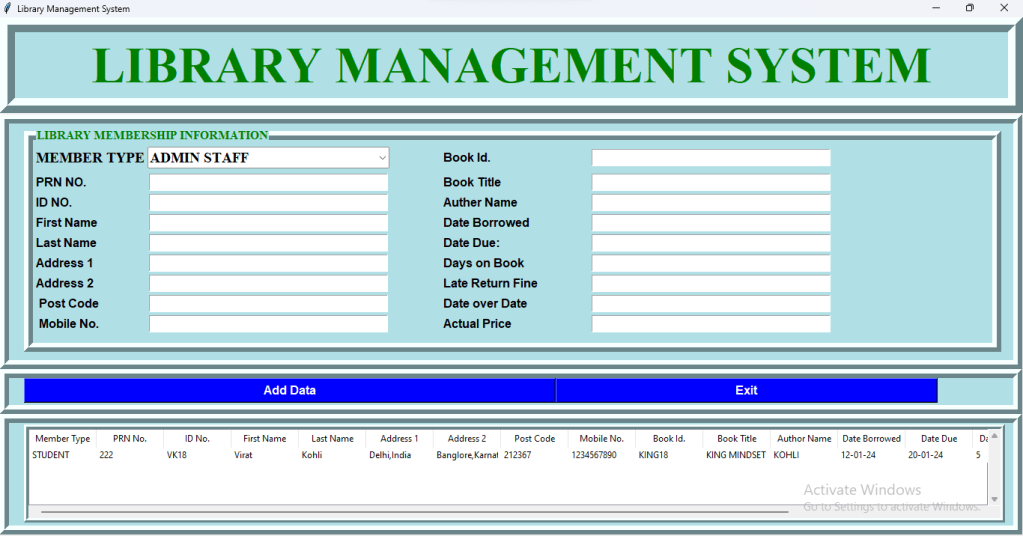
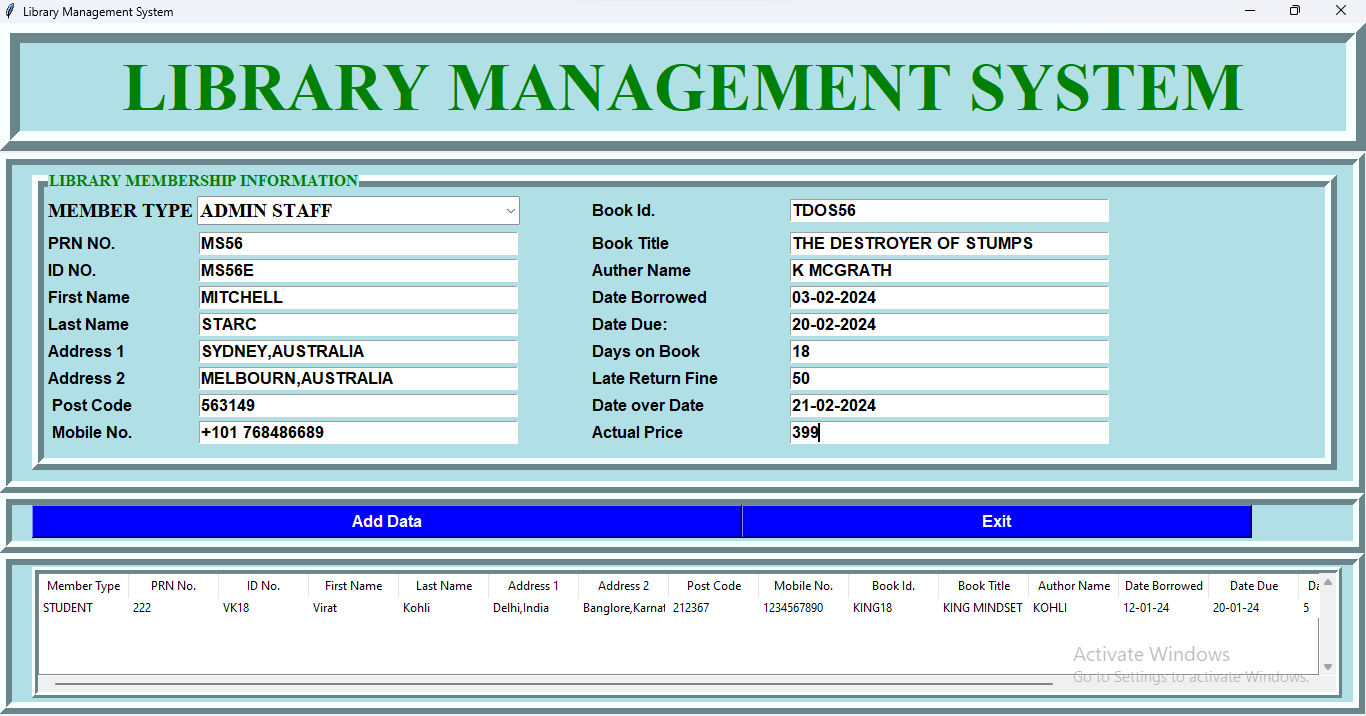
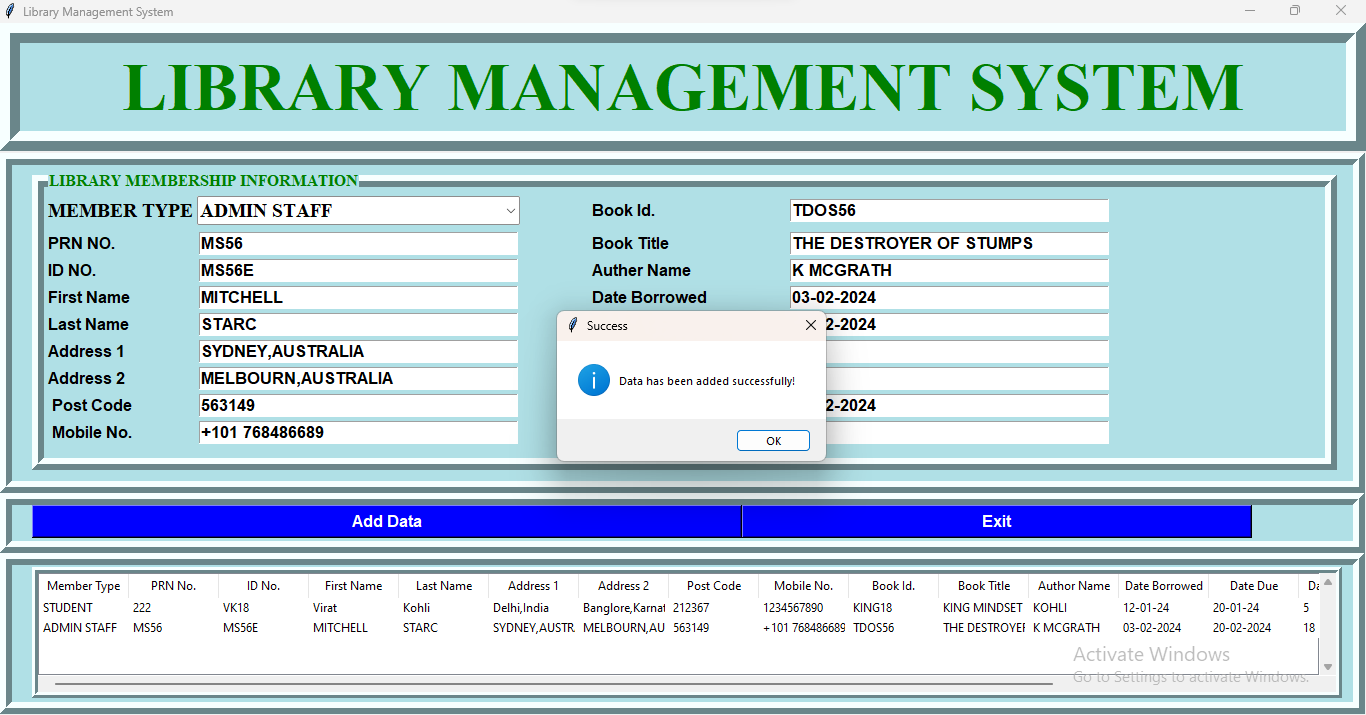
In this blog post, I’ll walk you through a project I recently completed—a Library Management System built using Python and the Tkinter library. This system is designed to manage library records efficiently, allowing users to add, view, and organize information related to library members and books.
#### Project Overview
The Library Management System features a user-friendly interface where admins can manage all aspects of library records. It includes fields for member details like name, address, and contact information, as well as book-specific data such as title, author, and borrow/return dates.
#### Key Features
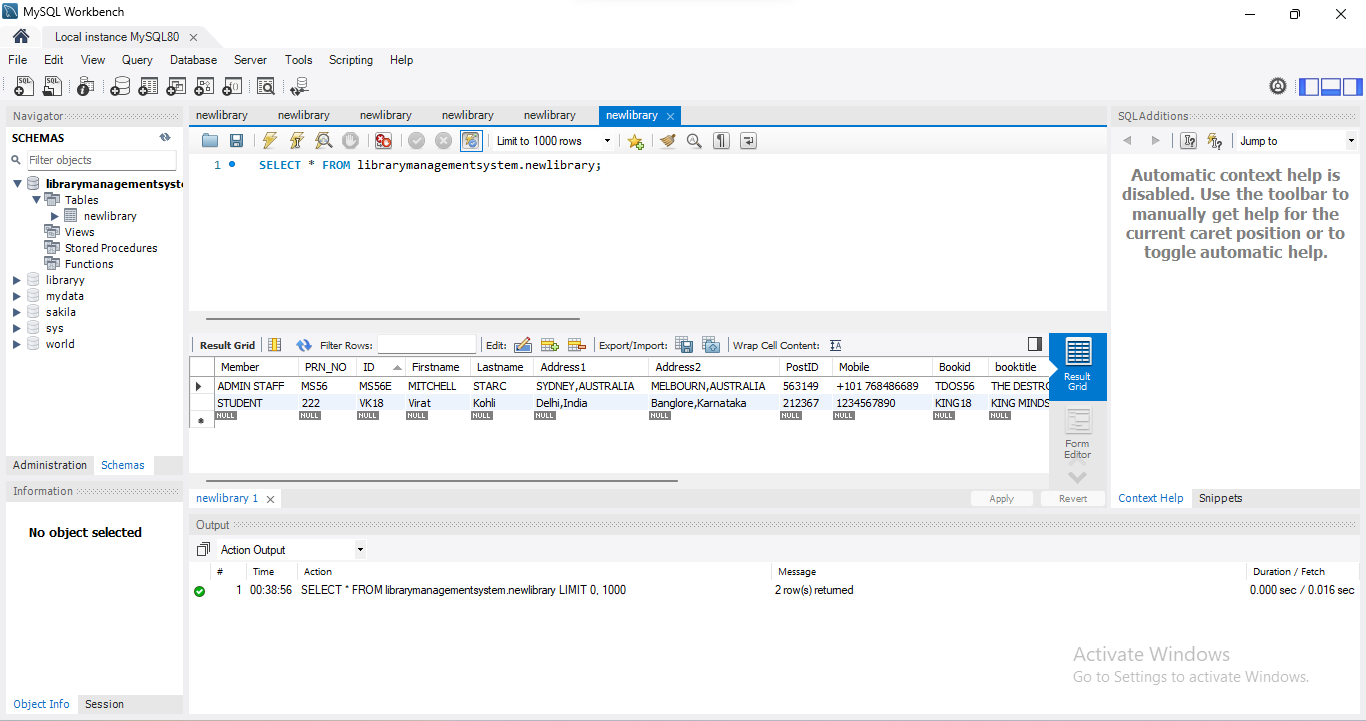
– **Data Entry:** Users can easily add new members and books to the system. Each entry is stored securely in a MySQL database, ensuring data integrity and easy retrieval.
– **Data Management:** The system fetches data from the database and displays it in a clean, tabular format using the Tkinter Treeview widget. This makes it simple to browse through records.
– **User Interaction:** The system provides feedback through various message boxes, ensuring that users are always informed of successful operations or potential errors.
– **Exit Prompt:** A user-friendly exit prompt is included to confirm if the user really wants to close the application, adding a layer of protection against accidental data loss.
#### Technical Details
– **Backend:** MySQL database is used to store and manage the data. Python’s `pymysql` library handles database connections and operations.
– **Frontend:** The Tkinter library is utilized for the graphical user interface (GUI). The interface is designed to be simple yet effective, with responsive buttons and well-organized entry fields.
– **Code Structure:** The code is structured into a class, making it easy to manage different components of the application and ensuring that the application is scalable for future enhancements.
#### Conclusion
This project was a great learning experience in combining Python’s capabilities with database management and GUI design. Whether you’re a student, an educator, or just someone interested in software development, building a project like this can significantly enhance your coding skills.
Stay tuned for more updates and enhancements to this project. Feel free to share your thoughts or suggestions in the comments below!
—

from tkinter import *
from tkinter import ttk, messagebox
import pymysql as py
class LibraryManagementSystem:
def __init__(self, root):
self.root = root
self.root.title(“Library Management System”)
self.root.geometry(“1400×700+0+0”)
self.member_var = StringVar()
self.prn_var = StringVar()
self.id_var = StringVar()
self.firstname_var = StringVar()
self.lastname_var = StringVar()
self.address1_var = StringVar()
self.address2_var = StringVar()
self.postcode_var = StringVar()
self.mobile_var = StringVar()
self.bookid_var = StringVar()
self.booktitle_var = StringVar()
self.auther_var = StringVar()
self.dateborrowed_var = StringVar()
self.datedue_var = StringVar()
self.daysonbook = StringVar()
self.lateratefine_var = StringVar()
self.dateoverdue = StringVar()
self.finallprice = StringVar()
lbltitle = Label(self.root, text=”LIBRARY MANAGEMENT SYSTEM”, bg=”powder blue”, fg=”green”, bd=20, relief=”ridge”, font=(“Times New Roman”, 50, “bold”), padx=2, pady=6)
lbltitle.pack(side=TOP, fill=X)
frame = Frame(self.root, bd=12, relief=”ridge”, padx=20, bg=”powder blue”)
frame.place(x=0, y=130, width=1365, height=340)
# DATA FRAME LEFT
DataFrameLeft = LabelFrame(frame, text=”LIBRARY MEMBERSHIP INFORMATION”, bg=”powder blue”, fg=”green”, bd=12, relief=”ridge”, font=(“Times New Roman”, 12, “bold”))
DataFrameLeft.place(x=0, y=5, width=1305, height=300)
lblmember = Label(DataFrameLeft, bg=”powder blue”, text=”MEMBER TYPE”, font=(“Times New Roman”, 15, “bold”), padx=2, pady=6)
lblmember.grid(row=0, column=0, sticky=W)
comMember = ttk.Combobox(DataFrameLeft, font=(“Times New Roman”, 15, “bold”), width=30, textvariable=self.member_var, state=”readonly”)
comMember[“value”] = (“ADMIN STAFF”, “STUDENT”, “LECTURER”)
comMember.current(0)
comMember.grid(row=0, column=1)
lblPRN_no = Label(DataFrameLeft, font=(“arial”, 12, “bold”), text=”PRN NO.”, padx=2, pady=2, bg=”powder blue”)
lblPRN_no.grid(row=1, column=0, sticky=W)
textPRN_no = Entry(DataFrameLeft, font=(“arial”, 13, “bold”), textvariable=self.prn_var, width=35)
textPRN_no.grid(row=1, column=1)
lblTitle = Label(DataFrameLeft, font=(“arial”, 12, “bold”), text=”ID NO.”, padx=2, pady=2, bg=”powder blue”)
lblTitle.grid(row=2, column=0, sticky=W)
textTitle = Entry(DataFrameLeft, font=(“arial”, 13, “bold”), textvariable=self.id_var, width=35)
textTitle.grid(row=2, column=1)
lblFirstName = Label(DataFrameLeft, font=(“arial”, 12, “bold”), text=”First Name”, padx=2, pady=2, bg=”powder blue”)
lblFirstName.grid(row=3, column=0, sticky=W)
textFirstName = Entry(DataFrameLeft, font=(“arial”, 13, “bold”), textvariable=self.firstname_var, width=35)
textFirstName.grid(row=3, column=1)
lblLastName = Label(DataFrameLeft, font=(“arial”, 12, “bold”), text=”Last Name”, padx=2, pady=2, bg=”powder blue”)
lblLastName.grid(row=4, column=0, sticky=W)
textLastName = Entry(DataFrameLeft, font=(“arial”, 13, “bold”), textvariable=self.lastname_var, width=35)
textLastName.grid(row=4, column=1)
lblAddress1 = Label(DataFrameLeft, font=(“arial”, 12, “bold”), text=”Address 1″, padx=2, pady=2, bg=”powder blue”)
lblAddress1.grid(row=5, column=0, sticky=W)
textAddress1 = Entry(DataFrameLeft, font=(“arial”, 13, “bold”), textvariable=self.address1_var, width=35)
textAddress1.grid(row=5, column=1)
lblAddress2 = Label(DataFrameLeft, font=(“arial”, 12, “bold”), text=”Address 2″, padx=2, pady=2, bg=”powder blue”)
lblAddress2.grid(row=6, column=0, sticky=W)
textAddress2 = Entry(DataFrameLeft, font=(“arial”, 13, “bold”), textvariable=self.address2_var, width=35)
textAddress2.grid(row=6, column=1)
lblPostcode = Label(DataFrameLeft, font=(“arial”, 12, “bold”), text=” Post Code”, padx=2, pady=2, bg=”powder blue”)
lblPostcode.grid(row=7, column=0, sticky=W)
textPostcode = Entry(DataFrameLeft, font=(“arial”, 13, “bold”), textvariable=self.postcode_var, width=35)
textPostcode.grid(row=7, column=1)
lblMobile = Label(DataFrameLeft, font=(“arial”, 12, “bold”), text=” Mobile No.”, padx=2, pady=2, bg=”powder blue”)
lblMobile.grid(row=8, column=0, sticky=W)
textMobile = Entry(DataFrameLeft, font=(“arial”, 13, “bold”), textvariable=self.mobile_var, width=35)
textMobile.grid(row=8, column=1)
lblBookid = Label(DataFrameLeft, font=(“arial”, 12, “bold”), text=”Book Id.”, padx=70, pady=2, bg=”powder blue”)
lblBookid.grid(row=0, column=2, sticky=W)
textBookid = Entry(DataFrameLeft, font=(“arial”, 13, “bold”), textvariable=self.bookid_var, width=35)
textBookid.grid(row=0, column=3)
lblBooktitle = Label(DataFrameLeft, font=(“arial”, 12, “bold”), text=”Book Title”, padx=70, pady=2, bg=”powder blue”)
lblBooktitle.grid(row=1, column=2, sticky=W)
textBooktitle = Entry(DataFrameLeft, font=(“arial”, 13, “bold”), textvariable=self.booktitle_var, width=35)
textBooktitle.grid(row=1, column=3)
lblAuther = Label(DataFrameLeft, font=(“arial”, 12, “bold”), text=”Auther Name”, padx=70, pady=2, bg=”powder blue”)
lblAuther.grid(row=2, column=2, sticky=W)
textAuther = Entry(DataFrameLeft, font=(“arial”, 13, “bold”), textvariable=self.auther_var, width=35)
textAuther.grid(row=2, column=3)
lblDateBorrowed = Label(DataFrameLeft, font=(“arial”, 12, “bold”), text=”Date Borrowed “, padx=70, pady=2, bg=”powder blue”)
lblDateBorrowed.grid(row=3, column=2, sticky=W)
textDateBorrowed = Entry(DataFrameLeft, font=(“arial”, 13, “bold”), textvariable=self.dateborrowed_var, width=35)
textDateBorrowed.grid(row=3, column=3)
lblDateDue = Label(DataFrameLeft, font=(“arial”, 12, “bold”), text=”Date Due: “, padx=70, pady=2, bg=”powder blue”)
lblDateDue.grid(row=4, column=2, sticky=W)
textDateDue = Entry(DataFrameLeft, font=(“arial”, 13, “bold”), textvariable=self.datedue_var, width=35)
textDateDue.grid(row=4, column=3)
lblDaysonBook = Label(DataFrameLeft, font=(“arial”, 12, “bold”), text=”Days on Book”, padx=70, pady=2, bg=”powder blue”)
lblDaysonBook.grid(row=5, column=2, sticky=W)
textDaysonBook = Entry(DataFrameLeft, font=(“arial”, 13, “bold”), textvariable=self.daysonbook, width=35)
textDaysonBook.grid(row=5, column=3)
lbllateretuenfine = Label(DataFrameLeft, font=(“arial”, 12, “bold”), text=”Late Return Fine”, padx=70, pady=2, bg=”powder blue”)
lbllateretuenfine.grid(row=6, column=2, sticky=W)
textlateretuenfine = Entry(DataFrameLeft, font=(“arial”, 13, “bold”), textvariable=self.lateratefine_var, width=35)
textlateretuenfine.grid(row=6, column=3)
lblDateoverDate = Label(DataFrameLeft, font=(“arial”, 12, “bold”), text=”Date over Date”, padx=70, pady=2, bg=”powder blue”)
lblDateoverDate.grid(row=7, column=2, sticky=W)
textDateoverDate = Entry(DataFrameLeft, font=(“arial”, 13, “bold”), textvariable=self.dateoverdue, width=35)
textDateoverDate.grid(row=7, column=3)
lblActualPrice = Label(DataFrameLeft, font=(“arial”, 12, “bold”), text=”Actual Price”, padx=70, pady=2, bg=”powder blue”)
lblActualPrice.grid(row=8, column=2, sticky=W)
textActualPrice = Entry(DataFrameLeft, font=(“arial”, 13, “bold”), textvariable=self.finallprice, width=35)
textActualPrice.grid(row=8, column=3)
# BUTTONS
Framebutton = Frame(self.root, bd=12, relief=”ridge”, padx=20, bg=”powder blue”)
Framebutton.place(x=0, y=470, width=1365, height=60)
btnAddData = Button(Framebutton, command=self.add_data, text=”Add Data”, font=(“arial”, 12, “bold”), width=70, bg=”blue”, fg=”white”)
btnAddData.grid(row=0, column=0)
btnExit = Button(Framebutton, command=self.exit_app, text=”Exit”, font=(“arial”, 12, “bold”), width=50, bg=”blue”, fg=”white”)
btnExit.grid(row=0, column=1)
# INFORMATION FRAME
FrameDetails = Frame(self.root, bd=12, relief=”ridge”, padx=20, bg=”powder blue”)
FrameDetails.place(x=0, y=530, width=1365, height=161)
Table_frame = Frame(FrameDetails, bd=6, relief=”ridge”, bg=”powderblue”)
Table_frame.place(x=0, y=2, width=1310, height=131)
xscroll = Scrollbar(Table_frame, orient=HORIZONTAL)
yscroll = Scrollbar(Table_frame, orient=VERTICAL)
self.Library_table = ttk.Treeview(Table_frame, column=(“Member Type”, “PRN No.”, “ID No.”, “First Name”, “Last Name”, “Address 1”, “Address 2”, “Post Code”, “Mobile No.”, “Book Id.”, “Book Title”, “Author Name”, “Date Borrowed”, “Date Due”, “Days on Book”, “Late Return Fine”, “Date Overdue”, “Actual Price”),
xscrollcommand=xscroll.set, yscrollcommand=yscroll.set)
xscroll.pack(side=BOTTOM, fill=X)
yscroll.pack(side=RIGHT, fill=Y)
xscroll.config(command=self.Library_table.xview)
yscroll.config(command=self.Library_table.yview)
self.Library_table.heading(“Member Type”, text=”Member Type”)
self.Library_table.heading(“PRN No.”, text=”PRN No.”)
self.Library_table.heading(“ID No.”, text=”ID No.”)
self.Library_table.heading(“First Name”, text=”First Name”)
self.Library_table.heading(“Last Name”, text=”Last Name”)
self.Library_table.heading(“Address 1″, text=”Address 1”)
self.Library_table.heading(“Address 2″, text=”Address 2”)
self.Library_table.heading(“Post Code”, text=”Post Code”)
self.Library_table.heading(“Mobile No.”, text=”Mobile No.”)
self.Library_table.heading(“Book Id.”, text=”Book Id.”)
self.Library_table.heading(“Book Title”, text=”Book Title”)
self.Library_table.heading(“Author Name”, text=”Author Name”)
self.Library_table.heading(“Date Borrowed”, text=”Date Borrowed”)
self.Library_table.heading(“Date Due”, text=”Date Due”)
self.Library_table.heading(“Days on Book”, text=”Days on Book”)
self.Library_table.heading(“Late Return Fine”, text=”Late Return Fine”)
self.Library_table.heading(“Date Overdue”, text=”Date Overdue”)
self.Library_table.heading(“Actual Price”, text=”Actual Price”)
self.Library_table[‘show’] = ‘headings’
self.Library_table.column(“Member Type”, width=90)
self.Library_table.column(“PRN No.”, width=90)
self.Library_table.column(“ID No.”, width=90)
self.Library_table.column(“First Name”, width=90)
self.Library_table.column(“Last Name”, width=90)
self.Library_table.column(“Address 1”, width=90)
self.Library_table.column(“Address 2”, width=90)
self.Library_table.column(“Post Code”, width=90)
self.Library_table.column(“Mobile No.”, width=90)
self.Library_table.column(“Book Id.”, width=90)
self.Library_table.column(“Book Title”, width=90)
self.Library_table.column(“Author Name”, width=90)
self.Library_table.column(“Date Borrowed”, width=90)
self.Library_table.column(“Date Due”, width=90)
self.Library_table.column(“Days on Book”, width=90)
self.Library_table.column(“Late Return Fine”, width=90)
self.Library_table.column(“Date Overdue”, width=90)
self.Library_table.column(“Actual Price”, width=90)
self.fetch_data()
self.Library_table.pack(fill=BOTH, expand=1)
def add_data(self):
conn = py.connect(host=”localhost”, user=”root”, password=”LFCOMP@105″, database=”librarymanagementsystem”)
my_cursor = conn.cursor()
try:
query = “INSERT INTO newlibrary VALUES (%s, %s, %s, %s, %s, %s, %s, %s, %s, %s, %s, %s, %s, %s, %s, %s, %s, %s)”
values = (
self.member_var.get(), self.prn_var.get(), self.id_var.get(), self.firstname_var.get(),
self.lastname_var.get(), self.address1_var.get(), self.address2_var.get(),
self.postcode_var.get(), self.mobile_var.get(), self.bookid_var.get(), self.booktitle_var.get(),
self.auther_var.get(), self.dateborrowed_var.get(), self.datedue_var.get(),
self.daysonbook.get(), self.lateratefine_var.get(), self.dateoverdue.get(), self.finallprice.get()
)
my_cursor.execute(query, values)
# Commit the changes to the database
conn.commit()
print(“Record inserted successfully!”)
self.fetch_data()
except Exception as e:
# Handle any exceptions that may occur during the execution
print(f”Error: {e}”)
# Rollback the changes in case of an error
conn.rollback()
finally:
# Close the database connection
conn.close()
messagebox.showinfo(“Success”, “Data has been added successfully!”)
def fetch_data(self):
conn = py.connect(host=”localhost”, user=”root”, password=”LFCOMP@105″, database=”librarymanagementsystem”)
my_cursor = conn.cursor()
my_cursor.execute(“select * from newlibrary”)
rows = my_cursor.fetchall()
if len(rows) != 0:
self.Library_table.delete(*self.Library_table.get_children())
for i in rows:
self.Library_table.insert(“”, END, values=i)
conn.commit()
conn.close
def exit_app(self):
exit_prompt = messagebox.askyesno(“Library Management System”, “Do you want to exit?”)
if exit_prompt > 0:
self.root.destroy()
if __name__ == “__main__”:
root = Tk()
obj = LibraryManagementSystem(root)
root.mainloop()
Concept of The Stand Up Which I Have Performed On The Schools Stage 08/07/2022
Concept of The Stand Up Which I Have Performed On The Schools Stage.
Special Thanks To
- Munawar Iqbaal Faruqui
- ClassMates
- Class Teacher
 Mohammad Sarfraj